About Monitoring Points
| Platform: | AvailableWebNot availableMobile |
|---|---|
| Plan Type: | Not availableBasicNot availableEssentialAvailablePremiumAvailableEnterprise |
| User Type: | Not availableRequesterNot availableFull UserAvailableAdministrator |
Monitoring points require a connected data source. For more information, contact your MaintainX® representative.
A single sensor or connected data source often reports more than one signal from the same physical spot on an asset. For example, a vibration sensor mounted on a motor's bearing might report temperature, vibration velocity in multiple directions, battery level, and signal strength, all from that one location. MaintainX groups the meters for those related signals into a monitoring point, so you can see them together instead of as a list of unrelated meters.
A monitoring point is a grouping in your asset data model. It isn't a connector or a monitoring rule. For vibration, it typically represents a sensor's mounting location, such as a motor bearing. For other OT data, a monitoring point is useful when you group related signals that measure the same physical or logical location.
Monitoring points sit between an asset and its meters:
An asset can have multiple monitoring points, such as one for each bearing on a motor. Each monitoring point can include multiple meters.
How Monitoring Points Are Created
Monitoring points are created when you map incoming tags from a connected data source to an asset. The way this happens depends on the source:
- ERBESSD INSTRUMENTS® sensors: MaintainX groups the readings from each sensor into a monitoring point automatically when the sensor's data is mapped to its asset.
- OT data connectors: When you use smart tag mapping to map tags from Ignition®, Kepware®, or MQTT, MaintainX creates meters and associates them with assets. A monitoring point can then group the related meters for a measurement location. Not every incoming tag becomes its own monitoring point.
Administrators can also create a monitoring point manually from an asset's details page, though most teams rely on the automatic flow.
View Monitoring Points on an Asset
To view an asset's monitoring points from the asset:
- From the sidebar, select Assets.
- Select the asset you want to view.
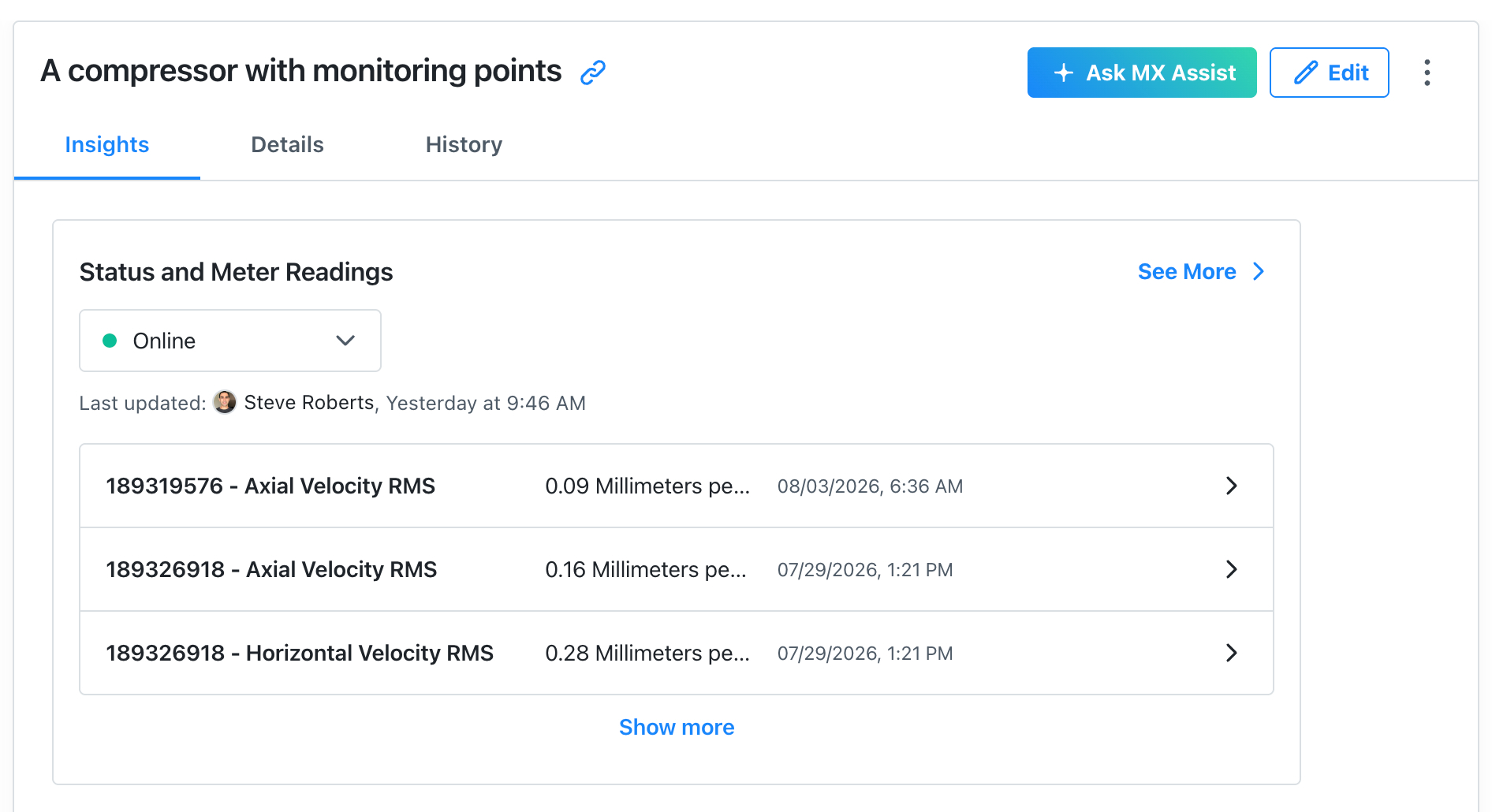
- On the Insights tab, review the Status and Meter Readings card. It lists the most recent readings across the asset's meters, including any that belong to a monitoring point.
- Select See More to view the full list of readings.