About Custom Dashboards
availability
| Platform: | AvailableWebNot availableMobile |
|---|---|
| Plan Type: | Not availableBasicAvailableEssentialAvailablePremiumAvailableEnterprise |
| User Type: | Not availableRequesterNot availableFull UserAvailableAdministrator |
You can create custom dashboards in the Reporting module to gain insights into different areas of your organization's operations and identify opportunities to improve performance.
Use the custom dashboard to:
- View multiple reports in a single view.
- Save custom dashboards for faster access and monitoring.
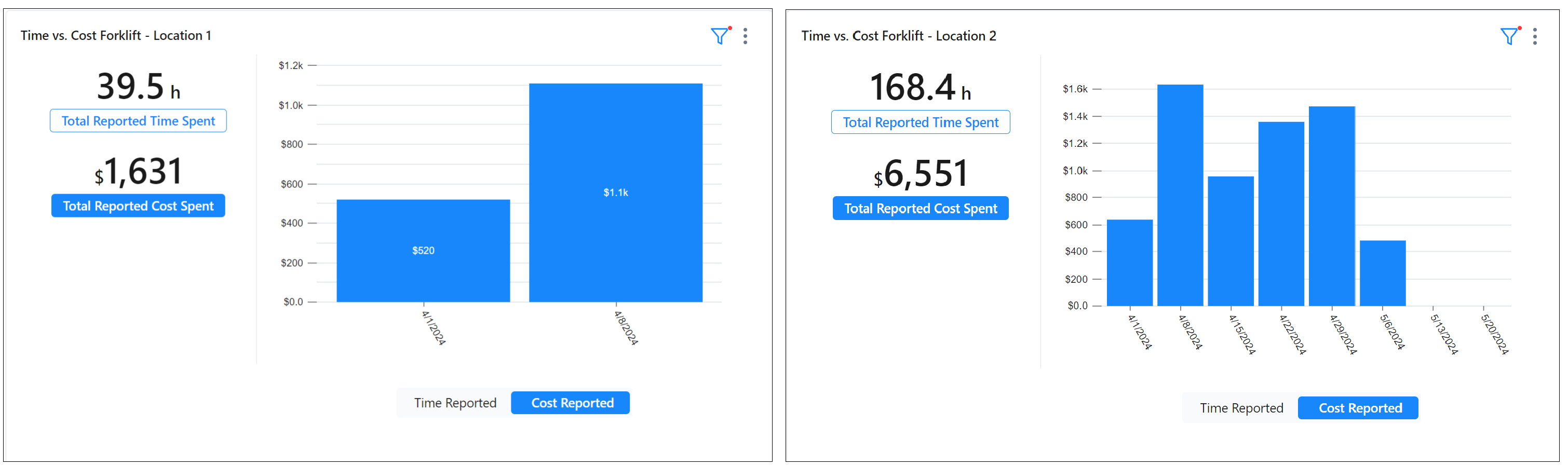
- Setup side by side report comparisons and filter each one differently (for example, time vs costs).
Custom dashboards can help you:
- Save time with insight into critical metrics and key performance indicators.
- Discover areas to improve by comparing performance across teams, locations, time periods, and equipment.
- Use work completion, compliance, and asset insights to inform budget and planning decisions.
Access a Saved Custom Dashboard
-
From the sidebar, select Reporting > Dashboards.
It shows a list of dashboards, including a description, timestamp, creator, and the date the dashboard was last viewed.
-
Select the custom dashboard to view it.
Custom Dashboard Limitations
- You can only copy an unpublished draft. When you copy the draft, the original dashboard reverts to its last saved version, and the new dashboard includes both the saved and unsaved cards from the draft.
- You can't restore deleted dashboards.