Identify Asset Issues with MaintainX® Assist
| Platform: | Not availableWebAvailableMobile |
|---|---|
| Plan Type: | Not availableBasicNot availableEssentialNot availablePremiumAvailableEnterprise |
| User Type: | Not availableRequesterAvailableFull UserAvailableAdministrator |
MaintainX Assist can help you identify issues with your assets.
You can upload a picture of an asset and ask MaintainX Assist to identify potential issues. The AI assistant analyzes the image and provides observations, along with follow-up actions to help remediate the issue.
To support MaintainX Assist with its analysis, you can provide additional context about the situation and clearly prompt the outcome you are seeking.
For example, let's say you notice a truck in your facility is leaking, you can take a picture and provide contextual details such as:
Truck started leaking a red liquid after operating for two hours. Fumes are coming from the engine compartment. Provide guidelines to safely isolate the truck and clean up the liquid on the ground.
Based on the image and information you provided, MaintainX Assist can:
- Identify possible causes of the issue.
- Recommend safety precautions.
- Suggest next steps.
- Create a work order or procedure that you can edit and add to your workflow.
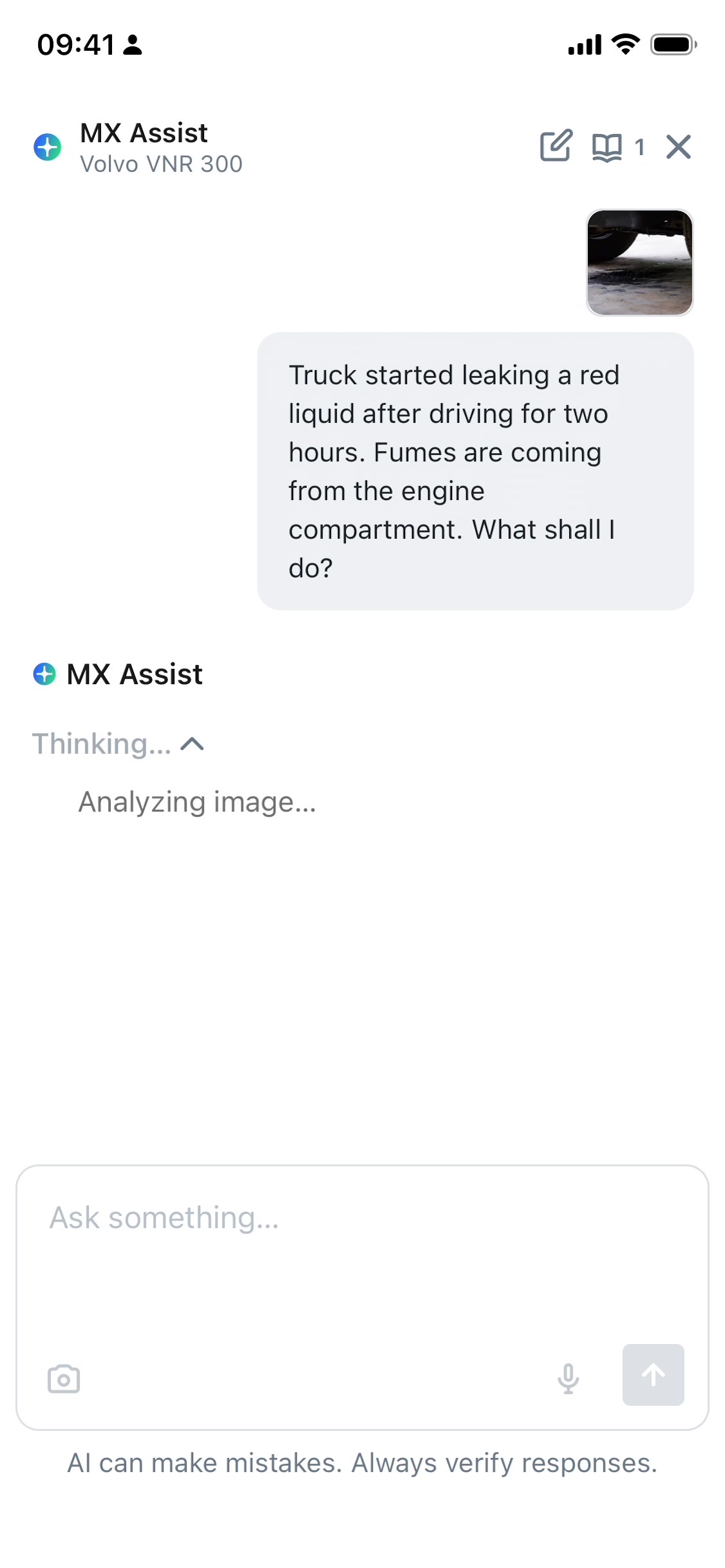
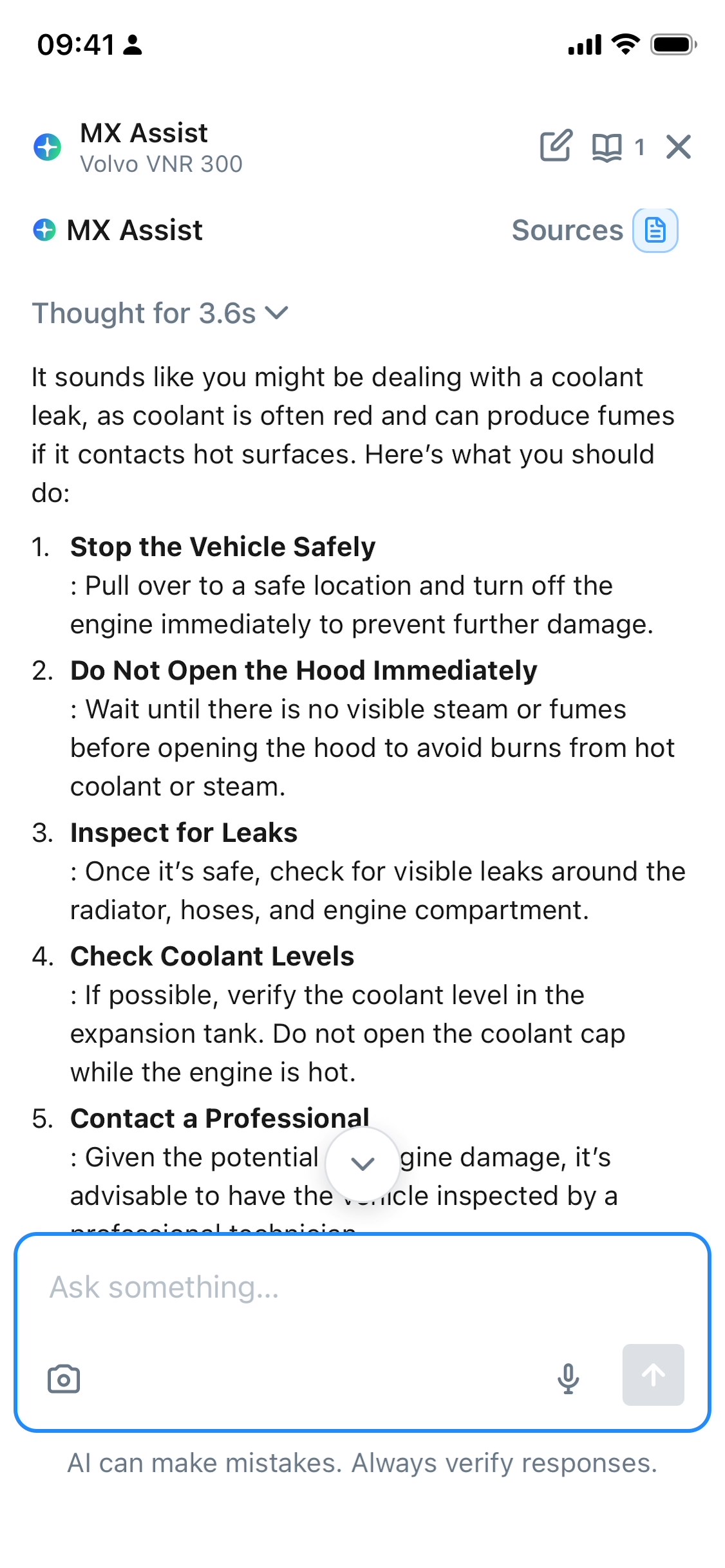
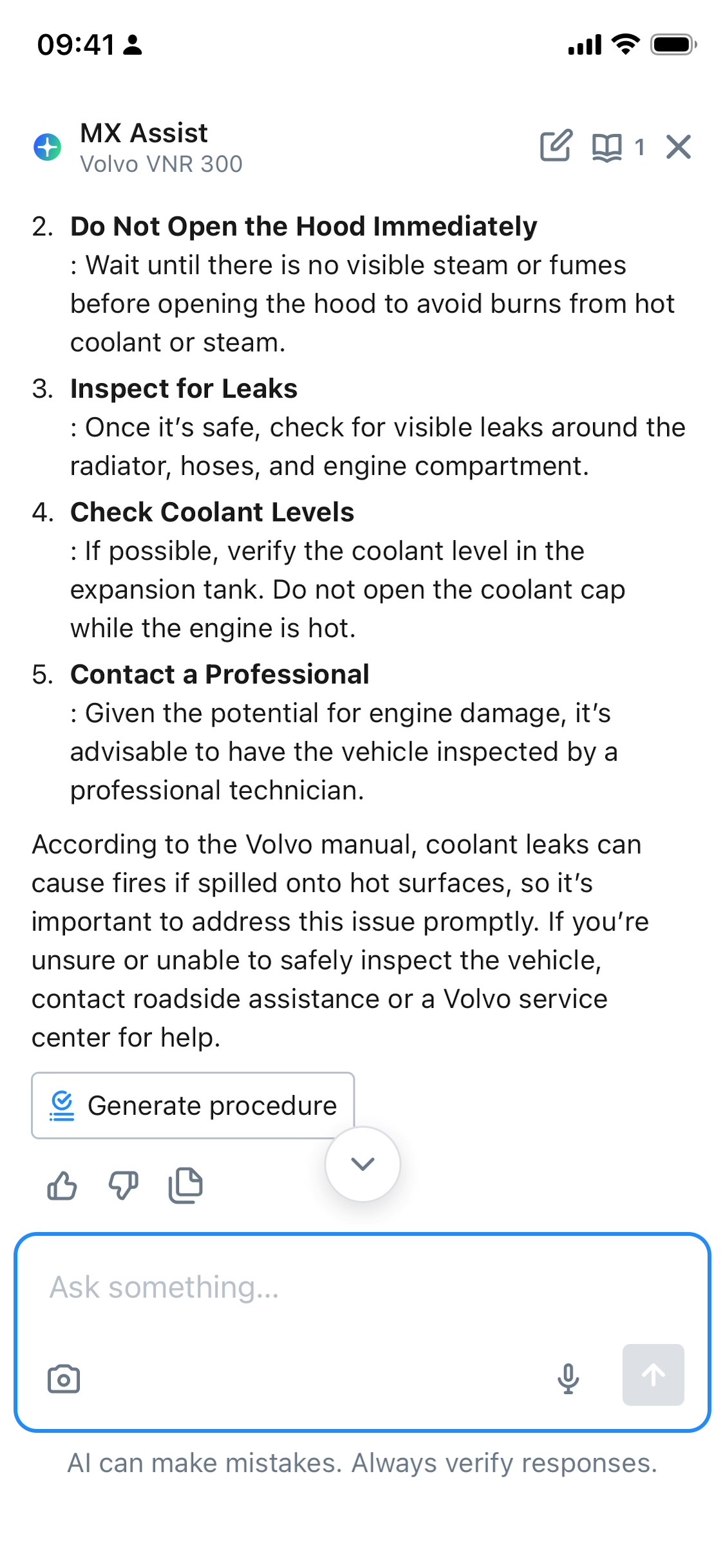
MaintainX Assist can make mistakes. It's your responsibility to carefully review and validate all recommendations.
Identify Asset Issues with MaintainX Assist
-
From the bottom navigation bar, select Assets.
-
Select an asset that has issues you need to identify.
-
In the asset details, select (Ask MX Assist). The MX Assist tab opens.
-
In the MX Assist tab, select the (camera) icon, then do one of the following:
- Take a picture of the asset.
- Select a picture of the asset in your device's photo library.
-
Provide additional context to the image:
- Enter a prompt describing the issue.
- Select the (microphone) icon to record a prompt. MaintainX Assist transcribes the voice note.
-
Select (send). MaintainX Assist analyzes the image and the context you provided, then generates an answer with suggested follow-up actions.
-
Depending on the answer, MaintainX Assist may suggest one or several follow-up actions:
- Generate Procedure to generate a procedure based on MaintainX Assist's answer. For details, see Create a Procedure from a MaintainX Assist Answer.
- Copy to clipboard to copy the generated answer and use it elsewhere in MaintainX for example, the asset's details.
You can also identify asset issues from the Work Orders module:
- From the bottom navigation bar, select Work Orders.
- Select a work order then select (Ask MX Assist).