About Asset Packages
| Platform: | AvailableWebNot availableMobile |
|---|---|
| Plan Type: | AvailableBasicAvailableEssentialAvailablePremiumAvailableEnterprise |
| User Type: | Not availableRequesterNot availableFull UserAvailableAdministrator |
An asset package is a reusable collection of data, parts, procedures, and work order templates for a specific piece of equipment. Think of it as a template or a blueprint. When you install a package, MaintainX® creates a uniquely tracked asset, which is an instance of the package. You can install as many instances of a package as your organization needs.
For example, say you have a warehouse with dozens of the same model of forklift. Instead of manually creating a MaintainX asset for each one, you can create an asset package, and install it once for each forklift. This ensures that all of your forklift assets are configured the same way, but you can track them individually.
Packages help you standardize procedures, parts, and maintenance instructions for your equipment so you can:
- Set up assets faster.
- Manage multiple assets more efficiently—no need to create the same asset over and over.
- Standardize operations across multiple sites.
Where to Get Asset Packages
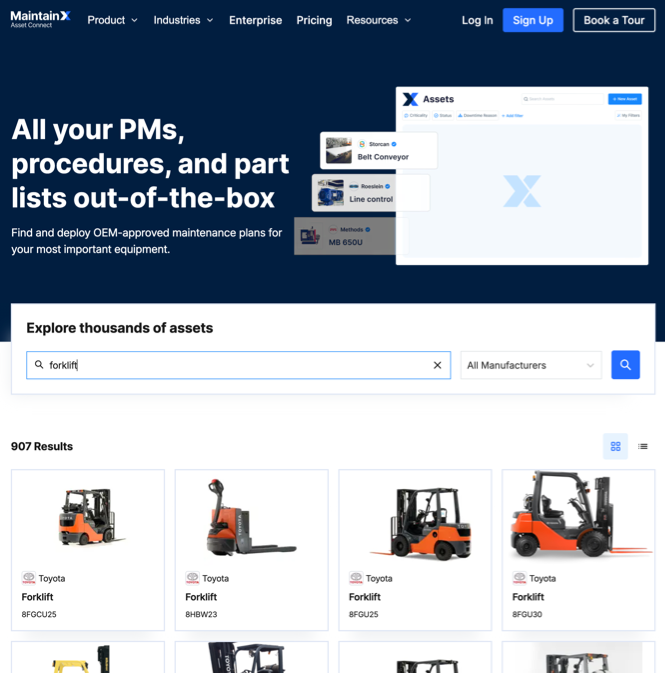
You can install preconfigured asset packages from the MaintainX Asset Hub.
Find Asset Packages: Asset Hub
The MaintainX Asset Hub is an online portal where you can get asset packages for equipment from hundreds of original equipment manufacturers (OEMs). MaintainX builds Asset Hub packages using information from OEMs. You can search for equipment by name, model, or manufacturer, and install asset packages directly to your MaintainX organizations.
For Asset Hub package installation instructions, see Install a Package from Asset Hub.
Link Matching Packages to Existing Assets
When you add a Manufacturer and Model to your assets, MaintainX automatically searches Asset Hub for matching asset packages. If it finds a match, it prompts you to install the asset package. Installing the package converts the asset into a package-driven asset.
For matching package installation instructions, see Match Asset Hub Packages to Existing Assets.
