Completed by User Report
| Platform: | AvailableWebNot availableMobile |
|---|---|
| Plan Type: | AvailableBasicAvailableEssentialAvailablePremiumAvailableEnterprise |
| User Type: | Not availableRequesterNot availableFull UserAvailableAdministrator |
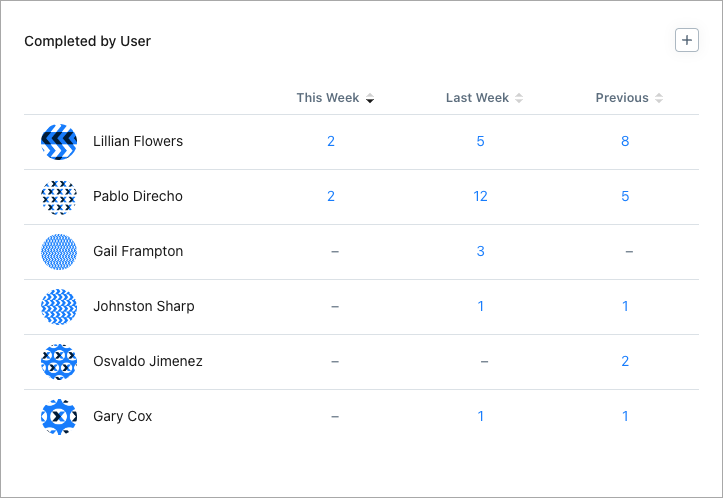
The Completed by User report shows the number of work orders completed by each user in your organization for each of the last three weeks.
Where to Find This Report
The Completed by User report is available on the Work Orders screen.
Report Source
The Completed by User report includes all work orders completed within the date range, after any active filters are applied.
Data in this Report
The report’s table lists the users in your organization. The This Week, Last Week, and Previous columns show the total number of work orders that each user completed in each of the last three weeks.
-
Select the total for any user in any week to display a list of work orders completed in that week.
- Select any work order in the list to view its details.
-
If the report includes more users than fit in the report tile, select See All to display the full list.
Organizations on an Enterprise plan have access to Resource Planning features, which provide a much more detailed view of work order assignment and completion data.
How to Read This Report
Use the Completed by User report to track individual output and spot workload imbalances across your team. The key thing to watch is whether work order completions are distributed evenly or concentrated among a small number of users.
- A significant imbalance may indicate that certain team members are overburdened while others are underutilized.
- Comparing This Week, Last Week, and Previous columns can help you identify short-term trends, such as a drop-off in completions that may signal capacity issues or staffing changes.